
Most people hit the mute button the moment an inverter starts beeping, and that is the mistake. The beep is a warning about load, battery, heat, or input power. Read the beep pattern and warning lights first, fix what they point to, then silence the buzzer if the model has a mute option.
Quick answer
Check the display and lights, then match the beep pattern to its cause. Cut the load, charge the battery, cool the unit, or restore utility power. Press the mute, self-test, or ON/OFF button only after that. Continuous beeping is a fault, so do not just silence it.
- Slow, steady beeps usually mean the inverter is running on battery.
- Rapid beeps usually mean the battery is nearly empty.
- A solid tone usually means overload. Unplug devices until it stops.
- Muting does not fix anything. It only hides the alert.
- Heat, smell, swelling, smoke, or damaged cables mean shut down now.
- Quick Safety Check Before You Silence Anything
- What Does One Beep Every Few Seconds Mean?
- How Do I Turn Off Inverter Beeping With the Mute Button?
- How Do I Stop My Inverter From Beeping During a Power Outage?
- Why Does My Inverter Beep When the Battery Is Low?
- How Do I Stop an Overload Alarm on an Inverter?
- What Should I Do if the Inverter Is Hot or Its Fan Is Not Working?
- When Does Beeping Mean a Failed Battery or Internal Fault?
- Step-by-Step Troubleshooting Order
- Frequently Asked Questions
Quick Safety Check Before You Silence Anything
Look at the unit before you touch any button. Some conditions need an immediate shutdown, not a quiet room.
Switch the inverter off and unplug the loads if you see or notice any of these:
- A burning or acidic smell
- Smoke or discoloration on the case
- A swollen or leaking battery
- Melted, frayed, or hot cables and connectors
- A continuous tone that will not stop after you remove the load
Do not open the case. Do not keep resetting a unit that trips again right away. Call a qualified technician.
What Does One Beep Every Few Seconds Mean?
A slow, repeating beep usually means the inverter is running on battery power. Some inverter and UPS manuals list a beep every 4 seconds as battery mode and rapid beeping as low battery.
Timing varies by brand. Schneider Electric says a Smart-UPS may beep four times every 30 seconds while on battery. Its page on Smart-UPS audible alarms also lists overload, a failed battery self-test, and low battery as common alarm conditions.
Many pages treat every inverter like a UPS. They are not the same. A battery-mode beep is a notice. An overload tone or a fault tone is a warning. Use this table as a starting point, then confirm it against your manual.
| Beep pattern | Likely cause | Immediate action | Safe to mute? |
|---|---|---|---|
| Slow beep every few seconds | Running on battery (outage or input loss) | Turn off nonessential loads. Check utility power. | Yes, once you know why |
| Fast, rapid beeps | Low battery | Save work, shut down loads, restore power or charge. | Briefly at most |
| Solid tone with overload light | Overload | Unplug devices until the tone stops. | No. Fix the load first. |
| Repeated beeps after a self-test | Weak or failed battery | Recharge, retest, then replace if it repeats. | Yes, but plan a replacement |
| Continuous tone with fault or temperature light | Overheating or internal fault | Shut down. Let it cool. Check vents and fan. | No |
How Do I Turn Off Inverter Beeping With the Mute Button?
Press the mute, self-test, or ON/OFF button, depending on the model. The exact method comes from the manual.
- Some UPS manuals say to hold the self-test or mute key for more than 1 second, as in the Greencell UPS user manual.
- Some APC Easy UPS models mute the alarm by pressing the ON/OFF button for 1 to 3 seconds, according to the Schneider Electric Easy UPS manual.
Can I mute the inverter alarm without fixing the problem?
You can on most models, but you should not. Muting turns off the sound. The overload, the empty battery, or the heat is still there. Many units also re-sound the alarm if the condition changes or gets worse.

How Do I Stop My Inverter From Beeping During a Power Outage?
Battery-mode beeping during an outage is normal. It stops when utility power returns, or when you shut the inverter down.
Try this order:
- Confirm the outage. Check the breaker and the input cord.
- Unplug anything you do not need, such as printers, chargers, and extra lights.
- Mute the alarm if the manual allows it.
- Watch the battery indicator. Expect the rapid low-battery beep later.
If utility power is on but the inverter still beeps, check the input breaker, plug, and any generator feed. Poor generator voltage or frequency can push some units into battery mode.
Why Does My Inverter Beep When the Battery Is Low?
A low-battery alarm warns that the unit may shut down soon because the battery is nearly discharged. Schneider Electric describes it this way for Smart-UPS units.
Do these things:
- Restore utility power or start the generator so the inverter can recharge the battery.
- Cut the load to extend runtime if power stays out.
- Shut down computers and sensitive gear safely before the inverter cuts off.
- After power returns, give the battery time to recharge before you load it again.
If a battery drains faster than it used to, it may be aging. That leads to the fault section below.
How Do I Stop an Overload Alarm on an Inverter?
Unplug devices until the alarm stops. A loud solid tone commonly signals an overload, and Schneider Electric notes it continues until the load is reduced. One APC Easy UPS manual pairs a continuous tone with the overload indicator.
Watch for startup surges. Refrigerators, pumps, and other motors can draw several times their running watts for a moment when they start. The inverter can alarm even when the running total looks fine. Check the nameplate on motor devices and leave extra room.
Worked example: clearing an overload
These numbers are examples only. Check your own nameplates.
| Device | Example draw (W) |
|---|---|
| Microwave | 1,200 |
| Space heater | 1,500 |
| Refrigerator (running) | 150 |
| TV and router | 100 |
| Total | 2,950 |
On a 2,000 W inverter, 2,950 W is far over the limit, so the unit sounds a solid tone. Unplug the heater and microwave. The total drops to 250 W (150 + 100). The alarm clears, and there is still room for the refrigerator to surge when its compressor starts. Run the microwave alone later, with the heater off.
- Solid tone right after you plug something in: unplug that device.
- Tone when the fridge or pump starts: use a larger inverter or stagger the loads.
- Tone with nothing connected: shut down and treat it as a fault.
What Should I Do if the Inverter Is Hot or Its Fan Is Not Working?
Turn off the loads, let the unit cool, and clear the vents. An inverter that cannot shed heat will alarm and may shut itself down.
- Remove covers, boxes, and dust from the vents.
- Move the unit away from direct sun, heaters, and tight cabinets.
- Listen for the fan at startup. A stopped or grinding fan needs service.
- Restart with a lighter load and watch the temperature light.
If the alarm returns in cool air with a light load, stop using the unit. Persistent heat points to a failed fan or an internal problem.

When Does Beeping Mean a Failed Battery or Internal Fault?
Suspect a battery or internal fault when the beeping continues after you have fixed the load, power, and heat. Other signs include a failed self-test, short runtimes, or a fault code.
Check these in order:
- Run the self-test after a full recharge. Repeated failure points to the battery.
- Look for swelling, leaks, corrosion, or loose terminals. Shut down if you see any.
- Write down the fault code and the lights that are on.
- Contact service with the model number and that information.
Industrial manuals, such as the AMETEK Security Plus II operation manual, show how much alarm behavior depends on the model. Look up your own.
Step-by-Step Troubleshooting Order
Work through these in order. Stop when the alarm clears.
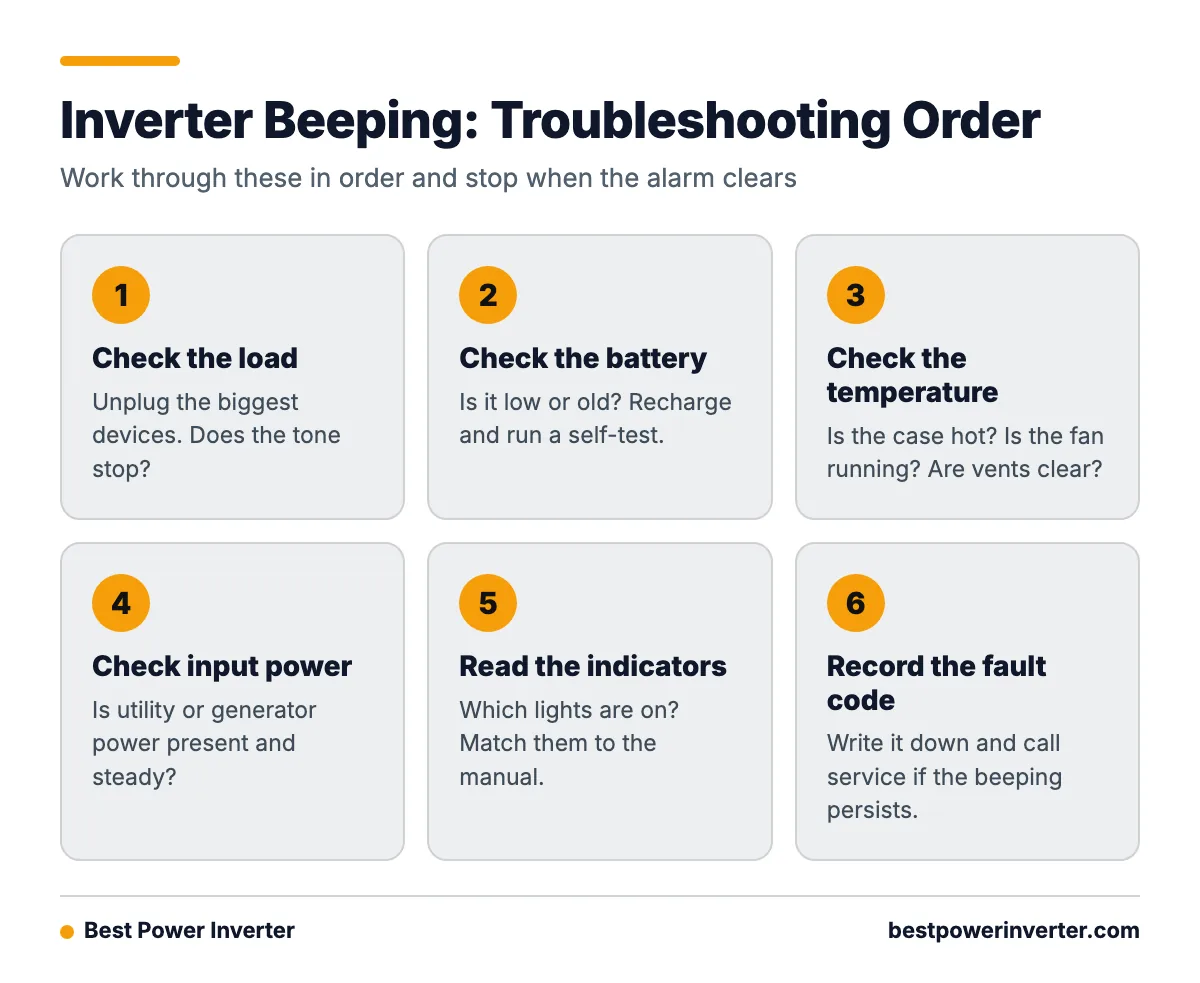
- Load: Unplug the biggest devices. Does the tone stop?
- Battery: Is it low or old? Recharge and run a self-test.
- Temperature: Is the case hot? Is the fan running? Are vents clear?
- Input power: Is utility or generator power present and steady?
- Indicators: Which lights are on? Match them to the manual.
- Fault code: Record it and call service if it persists.
Frequently Asked Questions
How to turn off inverter beeping?
Identify the pattern, fix the cause, then press the mute, self-test, or ON/OFF button as your manual directs. Hold times differ, often 1 to 3 seconds. If the beep is continuous, shut the unit down instead.
How do I stop my inverter from beeping?
Reduce the load, recharge the battery, cool the unit, or restore input power, depending on the warning lights. The beep usually stops once the condition is gone. If it does not, check for a fault.
How to stop inverter from beeping?
Start with the most common cause: too many devices. Unplug the heaviest ones. Next, check the battery level and the vents. Use the mute button only after those checks.
Why is my inverter beeping continuously?
A continuous tone usually means overload, overheating, or a fault. Remove all loads. If it keeps sounding, switch the unit off and call service.
Can I mute the inverter alarm without fixing the problem?
Usually yes, but the problem stays. Low battery, overload, and heat can all lead to shutdown or damage. Fix the cause first.
Sources