
Introduction
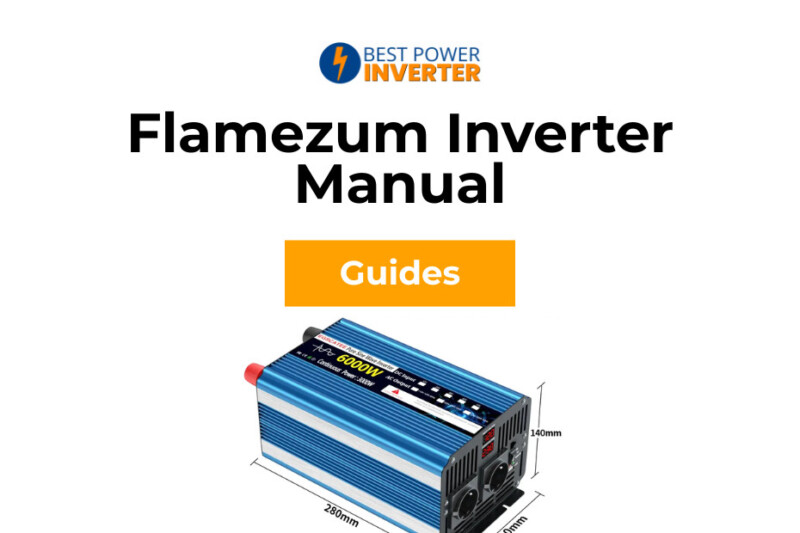
You’ve just bought a shiny new Flamezum inverter. You open the box, excited to power up your coffee maker or charge your laptop, only to find a single sheet of paper that looks like it was translated by a robot. Or worse—no manual at all.
Don’t panic! We’ve all been there.
Whether you’re setting up a camper van, a boat, or an off-grid cabin, getting your power system right is critical. Flamezum inverters are popular workhorses because they offer Pure Sine Wave power at a budget-friendly price, but their documentation often leaves users scratching their heads.
In this guide, we’re going to cover everything the box didn’t tell you. From the secret to making the remote control work to understanding why your unit beeps at you, we’ve got you covered. By the end of this article, you’ll be the master of your own power grid.
Technical Specifications & Safety Warnings
Before we start connecting wires, let’s quickly understand what you’re dealing with. Flamezum makes several models, but they all share the same DNA. They are Pure Sine Wave inverters, which means the electricity they produce is just as clean as the power from your wall socket at home. This is crucial for running sensitive electronics like laptops, CPAP machines, and microwaves without damaging them.
Here is a quick breakdown of the common models you might have:
| Model Power | Peak Surge | Recommended Battery Bank (12V) | Typical Use Case |
| 1500W | 3000W | 150Ah – 200Ah | Laptops, TV, Small Fridge |
| 2000W | 4000W | 200Ah – 250Ah | Microwave, Coffee Maker |
| 3000W | 6000W | 300Ah+ | Air Conditioner, Heavy Tools |
| 4000W | 8000W | 400Ah+ | Full Off-Grid Home Backup |
The Golden Rule of Safety: Polarity
If you take only one thing away from this manual, let it be this:
NEVER reverse the polarity.
-
Red Cable (+) must go to the Positive battery terminal.
-
Black Cable (-) must go to the Negative battery terminal.
If you mix this up, you will hear a loud pop and likely see smoke. This blows the internal fuses instantly and can permanently fry the motherboard. It’s almost never covered by warranty, so double-check your colors!
Grounding is Not Optional
On the back of your inverter, you’ll see a small nut with a grounding symbol. Many people ignore this, but you shouldn’t. Connect a grounding wire from this nut to your vehicle’s chassis (if you’re in a car/van) or an earth ground rod (if you’re in a house). This protects you from electric shocks if a wire comes loose inside the case.
Step-by-Step Installation Guide
Installation is easier than it looks, but the details matter. 90% of “faulty inverter” returns are actually just bad wiring.
1. Battery Sizing & Cable Selection
A common mistake is using a battery that is too small or cables that are too thin. If your inverter beeps the moment you turn on the microwave, your cables are likely “choking” the power.
Think of electricity like water in a pipe. A 3000W load needs a massive pipe (thick cable) to flow freely. If the pipe is too small (thin cable), the pressure (voltage) drops, and the inverter shuts down to save itself.
Recommended Fuse & Cable Sizes:
| Inverter Size | Cable Thickness (Min) | Fuse Size (ANL Type) |
| 1500W | 4 AWG (25mm²) | 150A – 200A |
| 2000W | 2 AWG (35mm²) | 200A – 250A |
| 3000W | 0 AWG (50mm²) | 300A – 350A |
| 4000W | 00 AWG (70mm²) | 400A |
Tip: Always install the fuse on the Positive (Red) cable, as close to the battery as possible.
2. Wiring the Inverter (The Right Order)
Follow these steps exactly to stay safe:
-
Switch Off: Ensure the inverter power switch is in the OFF position.
-
Connect to Inverter: Attach the Red and Black cables to the back of the inverter first. Tighten the nuts securely—loose connections create heat!
-
Connect to Battery: Connect the Black (-) cable to the battery negative.
-
The “Spark” Moment: Now, connect the Red (+) cable to the battery positive.

Wait, did it just spark?
Yes! When you touch that final red cable to the battery, you will likely see a spark and hear a “zap.” Don’t be scared. This is normal.
Inside the inverter, there are large capacitors that act like empty buckets. The moment you connect the battery, electricity rushes in at lightning speed to fill them up, causing that spark. It does not mean you broke it!
Pro Tip: If the spark terrifies you, you can use a inverter capacitor pre-charge resistor (or even a standard lightbulb) to bridge the connection for a few seconds before connecting the main cable. This fills the “buckets” slowly and eliminates the spark.
3. Hardwiring (For 3000W+ Models)
If you own the larger 3000W or 4000W models, you might notice a plastic cover on the back covering three screw terminals. This is for hardwiring directly into a fuse box or consumer unit.
-
L (Line/Live): Brown or Black wire.
-
N (Neutral): Blue or White wire.
-
E (Earth): Green/Yellow wire.
Warning: Only use the hardwire terminals if you are comfortable with AC mains wiring. If you aren’t sure, stick to the standard plug sockets on the front!
Read More: Flamezum Pure Sine Wave Inverter Or BELTTT for Home
Operation & The Remote Control Mystery
So, everything is wired up. The cables are tight, the battery is charged, and you are ready to rock and roll. But once you flip that switch, you might see numbers flashing on the screen or—worse—find that your fancy remote control isn’t doing anything.
Don’t worry, it’s not broken. It just has a few quirks that the manual forgot to explain clearly.
Understanding the LCD Display

Most modern Flamezum pure sine wave inverter models come with a handy little LCD screen. It looks cool, but what is it actually telling you?
-
Input Voltage (V): This is the most important number. It tells you how much juice is in your battery. A full 12V battery usually sits around 12.7V or 12.8V. If this number drops below 11V, you are running on empty!
-
Output Voltage (V): This should be steady (usually 110V or 230V, depending on your model). It won’t change much.
-
Power (W): This shows how many watts your appliances are using right now. If you plug in a 1000W toaster, this number should jump up to match it.
-
The Battery Bar: You will see a little picture of a battery with bars inside. Honest opinion? Don’t trust this too much. It is just a rough guess based on voltage. If you turn on a heavy load like a microwave, the voltage drops temporarily (this is called “voltage sag”), and the battery bar might drop to zero instantly even if the battery is full.
How to Use the Flamezum Remote Control
Here is the number one complaint I see on forums: “I plugged in the remote, but it doesn’t work!”
It is super frustrating, right? You mount the remote on your wall, plug the cable into the inverter, press the button… and nothing happens.
Here is the secret:
For the remote control to work, the main black switch on the inverter unit itself must be in a specific position. It cannot just be “On.”
-
Older Models: The switch must be in the OFF position.
-
Newer Models: There is a specific switch setting labeled REMOTE.
If you leave the main switch “ON,” the inverter ignores the remote completely. Flip that switch to the right spot, and boom—you have power at your fingertips!
Read More: Flamezum Inverter Fault Codes: Meaning and Fixes
Troubleshooting Flamezum Inverter Errors
Is your inverter screaming at you? Hearing that high-pitched beep can be super annoying, especially in the middle of the night. But that sound is actually trying to save your equipment.
The inverter has a brain (a microchip) that watches for danger. When it senses a problem, it shuts down the power, turns on a Red Light, and starts beeping.

The Beep Code Decoder
Since the manual is often missing this part, here is a simple table to help you figure out what the heck is going on.
| Beep Pattern | The Problem | How to Fix It |
| Continuous Beep (Non-stop) | Low Voltage (Battery is dead) | Your battery voltage is too low (under 10.5V). Charge your batteries immediately! |
| Continuous Beep | High Voltage | Less common, but happens if your solar panels or alternator are pushing too much power (over 15.5V). |
| Fast Beeping | Overload | You plugged in too much stuff. If you have a 2000W inverter, don’t try to run a 2500W heater. Unplug it and restart. |
| Intermittent Beep (Beep… Beep…) | Overheating | The unit is too hot! Turn it off, let it cool down for 15 minutes, and move it to a breezier spot. |
Why is the Red Light On?
If the Green light is gone and the Red light is glowing, the inverter has gone into “Protection Mode.” It’s basically playing dead to protect itself.
-
Check Your Battery Voltage: Get a multimeter. Is the battery reading below 10.5 Volts? If yes, the Low Voltage Cutoff kicked in to stop you from destroying your battery.
-
Check Your Connections: Remember what we said about loose cables? If your battery is full but the inverter thinks it’s empty, your cables might be loose or too thin.
-
Check for Short Circuits: Did a fuse blow? If the unit makes zero sound and has no lights at all, check the internal blade fuses or the big fuse near your battery.
“My Fan Isn’t Spinning!”
This is a classic scare for new owners. You turn the inverter on, look at the fans, and they are frozen still. Did you get a broken unit?
Nope!
Flamezum inverters use a thermal cooling fan system. This is actually a good thing because it keeps the unit quiet. The fans will not spin until the unit gets hot (usually around 45°C or 113°F) or until you put a heavy load on it (like 40% of its power).
So, if you are just charging a phone, the fans stay off. If you run a hairdryer, they will roar to life. It’s smart, not broken.
Frequently Asked Questions (FAQ)
You’ve got questions, we’ve got answers. Here are the most common things people ask about their Flamezum power inverter setup.
Q: Can I run a coffee maker on a 1500W Flamezum inverter?
A: Maybe, but be careful. A coffee maker might say “1000W” on the box, but resistive loads like heating elements are tough. Also, cheap coffee makers are fine, but fancy espresso machines often have high surge power needs that might trip a 1500W unit. For coffee lovers, I always recommend at least a 2000W pure sine wave inverter just to be safe.
Q: What does the “E01” code mean on the display?
A: On most Flamezum models, error codes like E01 or LO indicate Low Input Voltage. This means your battery is dead or the voltage has dropped below 10.5V. Check your battery charge!
Q: Why does the inverter beep when I start my car engine?
A: This is normal! When you crank your engine, your car’s starter motor pulls a massive amount of power, causing the battery voltage to dip momentarily. The inverter sees this dip, thinks the battery is dead, and gives a warning beep. Once the engine is running and the alternator kicks in, the beep should stop.
Q: Can I leave the inverter on all the time?
A: You can, but you shouldn’t. Even with nothing plugged in, the inverter burns power just to stay “awake” (this is called no-load current draw). If you leave it on for a week without solar or shore power, you will come back to a flat battery. Always turn it off when you aren’t using it.
Conclusion
Setting up a Flamezum inverter doesn’t have to be rocket science. While the manual in the box might be lacking, the unit itself is a solid piece of kit for the price.
Remember the three pillars of a happy inverter:
-
Tight Cables: Loose wires cause heat and voltage drops.
-
Good Batteries: You can’t get big power from a tiny battery.
-
Airflow: Give those fans room to breathe.
Now that you know the secret of the remote control switch and how to decode those annoying beeps, you are ready to hit the road. Whether you are brewing coffee in a campsite or powering tools at a job site, you’ve got the power.
Stay charged and safe travels!
