
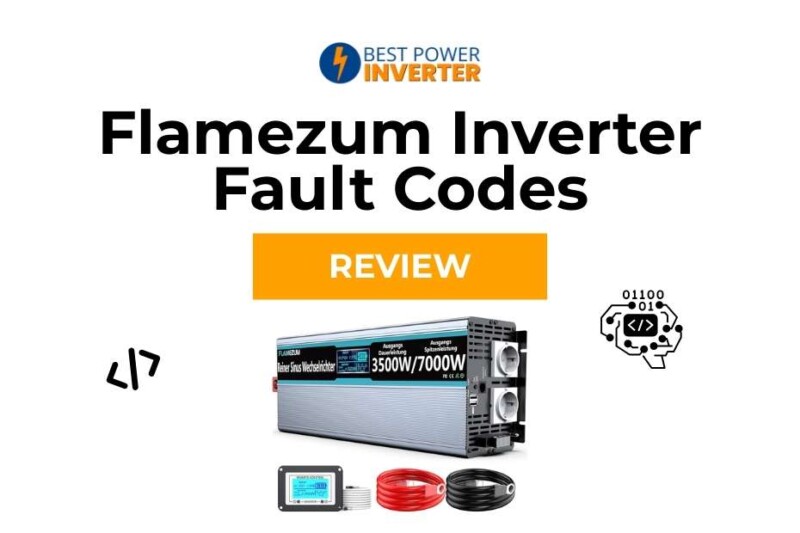
Learn what Flamezum inverter fault codes mean, how to fix LO, OH, HI, OL, and other errors, and how to prevent shutdowns. Complete troubleshooting and safety guide.
Power inverters are incredibly helpful when you need clean AC electricity during camping, RV trips, emergency backup, or solar home systems. But even a well-built inverter like Flamezum can stop working when a fault code shows up on the screen.
When a Flamezum inverter shuts down and displays LO, OH, HI, OL, or a number such as Fault 2–9, it means something has gone outside the safe operating range. Understanding these fault codes is the key to keeping your inverter healthy, your devices protected, and your power system running smoothly.
This guide breaks down every known Flamezum inverter fault code, explains why it happens, how to fix it, and how to prevent it from coming back. You’ll also learn maintenance tips and real-world causes that many users run into.
Let’s dive in.
What Are Flamezum Inverter Fault Codes?
Flamezum inverters display alarms and fault codes whenever the system detects unsafe conditions. Instead of silently failing or overheating, the inverter shows a code and shuts down to protect:
The battery
The inverter’s internal components
Your connected appliances
The most common Flamezum inverter fault codes are:
| Fault Code | Meaning |
|---|---|
| LO | Low voltage / under-voltage shutdown |
| HI | High voltage shutdown |
| OH | Overheat / high temperature shutdown |
| OL | Overload or short circuit protection |
| Code 2–9 | Additional protection faults (varies by model) |
These codes appear either on the built-in LCD screen or as blinking indicators depending on the model (1500W, 2000W, 2500W, 3000W, etc.).
Why Fault Codes Matter
A fault code is not just an error message. It’s a warning system.
Your Flamezum inverter is built with multiple protection circuits. When any of these conditions become unsafe, the inverter turns itself off instead of burning out or damaging your battery bank.
Fault codes help you:
Identify the exact problem
Fix the issue faster
Avoid long-term inverter damage
Prevent safety hazards
Protect your appliances
Maintain power efficiency
Many inverter failures happen because users ignore the early signs. Fixing issues immediately is always smarter than waiting for complete failure.
Common Flamezum Inverter Fault Codes and Fixes
Flamezum Inverter Fault Codes and Fixes
Below you’ll find the full explanation for every major Flamezum fault code, including symptoms, possible causes, step-by-step fixes, and prevention tips.
LO – Low Voltage Shutdown
Meaning
Your Flamezum inverter shuts down to protect itself because the DC input voltage has dropped below the safe limit.
Symptoms
LO displayed on screen
Inverter beeps
Output stops
Fans may slow down
Possible Causes
Battery is discharged
Battery cables are too thin or too long
Loose battery terminals
Old or failing battery
Wrong battery type
Excessive load causing voltage drop
How to Fix LO
Check battery voltage using a multimeter
Ensure the voltage matches your inverter’s requirements (usually 12V or 24V).Recharge the battery fully
Inspect all battery terminals
Tighten loose connections and clean corrosion.Use proper cable thickness
Long or thin cables reduce voltage and trigger LO.Reduce load temporarily
Heavy loads make the voltage sag under pressure.Replace old batteries
Weak batteries drop voltage quickly under load.
How to Prevent LO
Charge batteries regularly
Use shorter, thicker cables
Avoid running high-watt loads on drained batteries
Install a low-voltage alarm
Keep battery terminals clean
| You May ♥ Are Power Inverters Safe for Cars?
HI – High Voltage Shutdown
Meaning
The input voltage going into the inverter is too high.
Symptoms
HI flash
Alarm sound
Instant shutdown
Possible Causes
Overcharged battery
Wrong battery charger settings
Solar charge controller malfunction
Mixing old and new batteries
Incorrect system voltage (12V device on 24V battery)
How to Fix HI
Check battery voltage
If voltage is unusually high, stop charging immediately.Inspect your solar charge controller
Wrong settings can overshoot voltage.Check battery type settings
Use correct profiles (AGM, Gel, Lithium, etc.).Inspect wiring
A misconfigured battery bank can send high voltage.Disconnect charger temporarily
Let the system balance.
Preventing HI Faults
Use a high-quality charge controller
Double-check voltage compatibility
Never mix battery types or ages
Keep charging settings consistent
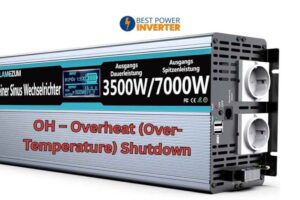
OH – Overheat (Over-Temperature) Shutdown
Meaning
Internal temperature is too high and the inverter has turned off to protect itself.
Why It Happens
Poor ventilation
Placing inverter near heat sources
Blocked air intake
Fan failure
Excessive load for long periods
Dust buildup
Symptoms
OH code
Hot casing
Loud fans before shutdown
Distorted output before shutdown
How to Fix OH
Turn off the inverter and let it cool
Wait at least 10–20 minutes.Improve airflow
Move the inverter to a ventilated area.Check cooling fans
Replace worn-out fans.Reduce load
Continuous heavy loads generate more heat.Clean dust
Dust blocks airflow and reduces cooling efficiency.
Preventing OH
Keep the inverter in open space
Clean dust filters regularly
Avoid running heavy loads continuously
Ensure fans spin smoothly
OL – Overload or Short Circuit Fault
Meaning
Your Flamezum inverter is experiencing either:
Too much load (exceeds rated wattage)
Short-circuit in connected appliances
Output wiring fault
Symptoms
OL on screen
Fast beeping
Instant shutdown
Burn smell if severe short
Common Causes
Running high-surge appliances
Combining too many devices at once
Damaged appliance cable
Faulty wiring connection
Internal short inside powered device
How to Fix OL
Step 1: Turn off inverter
Step 2: Disconnect all devices
Step 3: Restart inverter with NO load
→ If OL disappears, reconnect devices one by one to isolate the faulty one.
Other fixes:
Upgrade to a higher-watt inverter
Replace damaged extension cords
Repair or replace the shorted appliance
Check for exposed wires
Preventing OL
Keep load below 80% of rated capacity
Avoid devices with high startup surge
Use surge protectors
Regularly inspect wiring and appliances
Flamezum Inverter Fault Codes 2–9 Explained
Some Flamezum models show numbered codes (2 through 9) instead of text codes. These codes vary slightly between models, but generally follow this pattern:
| Code | Probable Meaning | Notes |
|---|---|---|
| 2 | Over-temperature | Similar to OH |
| 3 | High voltage | Battery voltage too high |
| 4 | Low voltage | Battery voltage too low |
| 5 | Output short-circuit | Faulty device or wiring |
| 6 | Abnormal output voltage | Inverter struggling to maintain wave output |
| 7 | Internal protection | Possible MOSFET or capacitor issue |
| 8 | Internal component failure | Serious fault |
| 9 | System failure | Needs inspection |
What to Do When You See Codes 2–9
Turn off inverter
Disconnect all loads
Check battery voltage
Restart
If code remains → internal issue
Codes 7, 8, and 9 usually mean internal board problems, blown MOSFETs, or capacitor failure. These require service or replacement.
Real-World Reasons Why Fault Codes Occur (User-Based Insights)
Many users trigger fault codes not because of inverter defects, but because of system setup mistakes. Here are the most common real situations:
1. Wrong battery voltage setup
A 24V inverter accidentally connected to a 12V battery (or vice versa) triggers HI or LO instantly.
2. Poor ventilation
Most overheats occur because the inverter is installed in:
Under-bed compartments
Small wooden boxes
Car trunks
Dusty corners
3. Undersized battery cables
Thin wires drop voltage under load, causing LO.
4. High-surge appliances
Devices like refrigerators, pumps, and motors draw 2–4x startup wattage and trip OL.
5. Solar charging problems
Incorrect charge controller settings easily cause HI.
6. Bad or old batteries
Old batteries sag under small loads, causing LO repeatedly.
7. Dust blocking fans
Dust buildup triggers OH more than anything else.
Preventive Maintenance to Avoid Fault Codes
A properly maintained inverter rarely shows fault codes. Here’s how to keep your Flamezum inverter running reliably year-round.
Weekly Checks
Inspect battery voltage
Listen for abnormal fan noise
Clean around inverter
Make sure nothing blocks airflow
Monthly Checks
Tighten battery terminals
Clean dust using compressed air
Inspect cables for heating
Test inverter with usual load
Seasonal Checks
Adjust ventilation if summer heat increases
Inspect battery health
Check charger and solar controller settings
Test high-surge appliances connected to inverter
Annual Maintenance
Replace worn-out cooling fans
Install new battery if capacity drops
Evaluate if upgrade is needed
Safety Tips While Troubleshooting Inverter Faults
Always turn off inverter before touching cables
Never open the inverter casing unless you’re qualified
Use insulated tools
Replace damaged wires immediately
Never mix battery ages or types
Keep inverter above floor level to avoid moisture
When Should You Replace a Flamezum Inverter?
Some problems are too expensive or unsafe to repair. Replace your inverter if:
Fault codes appear even without load
Burning smell or smoke observed
Internal components repeatedly fail
Overheating occurs even in cool environments
Output waveform becomes unstable
Modern inverters are more energy-efficient and safer than older ones, so upgrading can improve performance dramatically.
FAQs About Flamezum Inverter Fault Codes
1. What does LO mean on a Flamezum inverter?
LO means the battery voltage is too low for safe operation.
2. Why does my inverter show OL?
OL indicates overload or short circuit. Reduce load and check connected appliances.
3. What causes OH (overheat) alerts?
Poor airflow, blocked fans, dust buildup, or running high loads for long periods.
4. What should I do if I see a numbered fault code like 5 or 7?
Codes 5–9 usually indicate deeper electrical faults. Disconnect load, restart, and if it persists, seek servicing.
5. Can I reset the inverter after a fault?
Yes. But always remove the root cause first, or repeated faults can damage the inverter.
6. Can repeated OL or OH errors damage the inverter?
Yes. Frequent overload and overheating shorten inverter lifespan.
7. What triggers high voltage (HI) faults?
Overcharged batteries or incorrect solar charge controller settings.
Conclusion
Flamezum inverter fault codes are part of a smart protection system designed to keep your inverter, battery, and appliances safe. Whether you see LO, OL, OH, HI, or a numbered code like Fault 2–9, each message tells you exactly what needs attention.
By understanding the meaning of these codes and applying the step-by-step fixes, you can:
Restore inverter performance
Prevent recurring shutdowns
Extend the lifespan of your system
Maintain safer and more stable power
Regular maintenance, proper installation, quality batteries, and careful load management are the best ways to keep your Flamezum inverter running smoothly year after year.