
An inverter that beeps during a blackout is usually telling you it switched to battery power. Slow, steady beeps are normal, but fast or nonstop beeps point to a nearly empty battery, an overload, heat, or a fault. Cut the load, check the battery connections, and shut down sensitive gear before the battery runs out.
Quick answer
Count the beeps first. Slow beeps mean battery mode. Rapid beeps mean the battery is nearly empty. One long tone often means overload. Unplug nonessential devices, save your work, and check the cables before you mute anything.
- Best for a plug-in UPS: save work and shut down the PC
- Best for a vehicle inverter: unplug loads, check cables and voltage
- Best for a home battery inverter: read the model manual’s alarm codes
- Beep speed matters. Slow beeps are a notice. Fast or solid beeps are a warning.
- Low voltage can come from heavy load, thin or loose cables, or an old battery, not just a long outage.
- Remove low-priority loads first, then prepare for shutdown.
- Muting the buzzer can hide a coming shutdown or overload.
- Alarm codes differ by brand and model. Check your exact manual.
- Why is my inverter beeping when the power is off?
- What do fast or continuous beeps mean?
- Why does my inverter keep beeping every few seconds?
- What should I do if my inverter is beeping during a power outage?
- How can I tell low battery from overload?
- Worked example: why 600 W drains a battery fast
- Can a weak battery or loose cable cause the beeping?
- UPS, vehicle inverter, or home battery inverter
- How do I stop an inverter from beeping safely?
- Why does the inverter beep after power comes back?
- When should I turn it off or call a technician?
- What do owners say?
- Frequently Asked Questions
Why is my inverter beeping when the power is off?
Because it has stopped using wall power and is now running from its battery. The beep is an alert that you are on a limited supply.
CyberPower states that two beeps every 15 to 45 seconds usually mean the unit is running on battery power. You can read the maker’s explanation in why a CyberPower UPS beeps. This pattern is normal. It is not a fault.
The problem starts when the pattern changes. The alarm gets faster, turns into one long tone, or comes with a red light. Then the inverter is warning you about something more serious.
What do fast or continuous beeps mean?
Fast beeping usually means the battery is nearly empty. A long solid tone often means overload. CyberPower describes both patterns in its guide, what your beeping UPS is telling you.
Use the table below as a general guide. Your model may use different sounds.
| Sound pattern | Likely cause | Immediate action | Shutdown risk |
|---|---|---|---|
| Two beeps every 15-45 seconds | Running on battery during an outage | Note the time, plan your runtime | Low at first |
| Beeps getting faster | Battery getting low | Save work, unplug extra loads | High, soon |
| Rapid beeping | Battery nearly out of charge | Shut down gear in order | Very high |
| One long solid tone | Overload | Unplug at least one device | High if it continues |
| Constant tone plus warning light | Heat, fault, or battery problem | Turn off, unplug loads, let it cool | Unit may stop at any time |
Why does my inverter keep beeping every few seconds?
A steady beep every few seconds on a plug-in UPS most often means battery mode. If the beeps are closer together than that, the battery is draining and the unit wants you to act.
If the beeping repeats while the lights are on, check three things:
- Is wall power really off at the outlet or breaker?
- Is the load too high for the unit?
- Is the battery old and unable to hold a charge?
An old battery can sound a low-battery alarm early. It may drop to a low reading within minutes, even if the outage just started.
What should I do if my inverter is beeping during a power outage?
Work in order: confirm the outage, read the indicators, save your work, remove loads, check the connections, then shut down in a calm way.
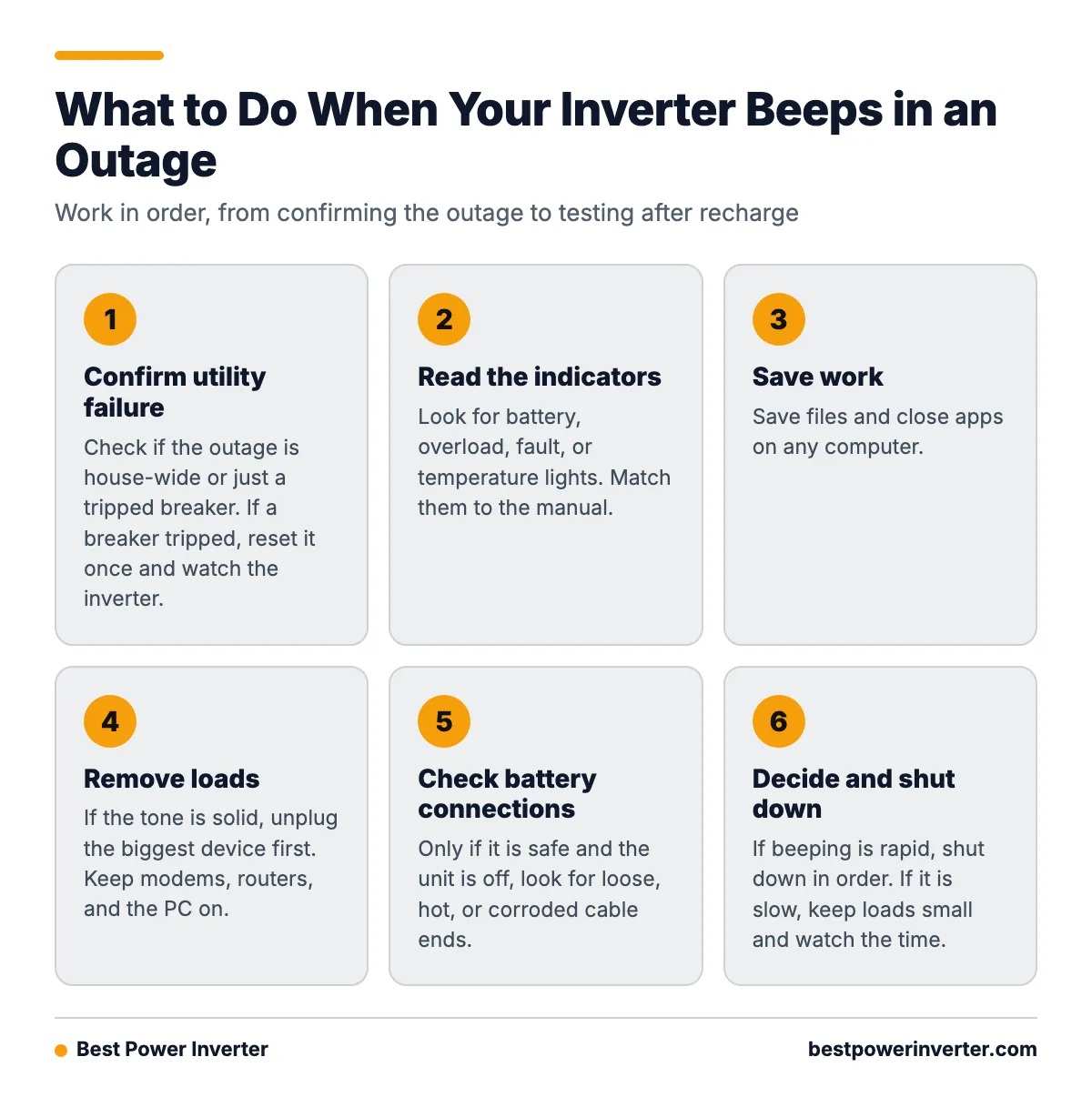
Step 1. Confirm utility failure. Check whether the outage is house-wide, or only a tripped breaker. If a breaker tripped, reset it once and watch the inverter.
Step 2. Read the indicators. Look for battery, overload, fault, or temperature lights. Match them to the manual.
Step 3. Save work. Save files and close apps on any computer.
Step 4. Remove loads. If the tone is solid, unplug the biggest device first. Printers, heaters, and monitors are common culprits. Keep modems, routers, and the PC on.
Step 5. Check battery connections. Only if it is safe and the unit is off, look for loose, hot, or corroded cable ends.
Step 6. Decide. If beeping is rapid, shut down in order. If it is slow, keep loads small and watch the time.
Step 7. Test after recharge. When power returns, let the battery charge, then retest.

How can I tell low battery from overload?
Check the sound and the lights. Rapid beeping with a battery light points to low charge. A long solid tone with an overload light points to too much load.
You can also test it. Unplug one large device. If the tone stops, it was overload. CyberPower advises removing at least one device from the battery-backed outlets when a UPS is overloaded.
To check ahead of time, add up the watts of everything plugged into the battery-backed outlets. Compare that total with the unit’s rated capacity. Eaton gives this same advice in its guide on troubleshooting an Eaton UPS. Leave some headroom. Running at the limit invites alarms.
Worked example: why 600 W drains a battery fast
Many people divide battery size by load and expect a long runtime. Real runtime is shorter. Here is a simple example with round numbers for illustration.
- Load: 600 W of AC devices.
- Inverter efficiency: assume 85%. The battery must supply about 600 ÷ 0.85 = 706 W.
- Current from a 12 V battery: 706 ÷ 12 = about 59 amps.
- Battery: 100 Ah lead-acid. Assume only about 50% (50 Ah) is safe to use.
- Runtime: 50 Ah ÷ 59 A = about 0.85 hours, or roughly 51 minutes.
The simple math (100 Ah × 12 V ÷ 600 W) says 2 hours. The real answer is less than half of that. And 59 amps is a hard pull. Voltage sags under that current, especially with an older battery or thin cables. The inverter may sound a low-voltage alarm well before the battery is truly empty.
Cut the load to 300 W and the current halves. Runtime more than doubles, because the battery is also under less strain.
Can a weak battery or loose cable cause the beeping?
Yes. Low voltage does not only come from a long outage. It also comes from heavy load, thin cables, loose terminals, and a worn battery.
Victron says low battery voltage can trigger a warning, then shutdown if voltage falls further. Its advice is to charge the battery and reduce AC loads. It also recommends checking cable tightness, cable thickness, battery state of charge, and battery condition. See Victron’s inverter operation guide.
Look for these signs:
- Terminals that move by hand or look green or white with corrosion.
- Cables that feel warm during use.
- Cables that are thinner than the manual calls for.
- A battery that is several years old and runs out fast.
UPS, vehicle inverter, or home battery inverter
These three behave differently, so do not mix their rules.
- Plug-in UPS: Built for short runtimes. Its job is to give you time to save work and shut down.
- Vehicle inverter: Runs from a 12 V battery. The Tripp Lite/Eaton owner’s manual lists a low-voltage alarm at about 10.5 V ± 0.3 V DC and shutdown below about 9.5 V ± 0.3 V DC. Check the owner’s manual for your model’s values. Other brands differ.
- Home battery inverter: Often has app alerts and coded warnings. The manual decides what each code means.

How do I stop an inverter from beeping safely?
Fix the cause first. Then, if your model allows it, use the mute button or the setting listed in the manual.
Muting has a risk. A silent inverter can still be overloaded or near shutdown, and you will not hear the warning. If you mute it:
- Keep watching the lights or the display.
- Set a timer for your expected runtime.
- Do not mute and then add more loads.
Never open the case, pull internal wires, or cut the buzzer. That can void the warranty and create a shock or fire hazard.
Why does the inverter beep after power comes back?
Usually the battery has not finished recharging, or a fault is still stored. Some units keep beeping until they reset.
Try this:
- Give the battery several hours to charge. A deeply drained one may need longer.
- Check that the plug and the outlet are secure.
- Reduce the load and see if the alarm clears.
- Clear the fault using the method in the manual.
If it still beeps after a full charge, suspect an old battery or a real fault.
When should I turn it off or call a technician?
Turn it off if you notice heat, a burning smell, a swollen or leaking battery, smoke, or sparks. Unplug the loads if it is safe to do so, and keep people away.
Call the maker or a qualified electrician when:
- The unit overheats with a normal load.
- The battery is swollen or leaking.
- Cables or terminals are melted or burnt.
- The alarm returns after a full charge and a reduced load.
- The inverter is wired into your home panel.
What do owners say?
Owners like
- Audible battery-mode warnings tell them a power outage has happened.
- Alarms give advance notice before automatic low-battery shutdown.
- UPS units that resume normal operation on their own once utility power returns.
Common complaints
- Repeated beeping is disruptive in long outages, especially when it cannot be muted permanently.
- Beep patterns are poorly explained without the model-specific manual.
- Aging batteries or heavy loads cause alarms that sound too early.
- Confusion when the inverter keeps beeping after power returns because the battery has not recharged or a fault remains.
Summarised from owner reviews and long-term user reports; individual experiences vary.
Frequently Asked Questions
Is inverter beeping when power is off normal?
Yes, slow beeping is normal. It tells you the inverter is on battery. Fast, solid, or nonstop beeping is not routine and needs attention.
Why is my inverter beeping?
It may be on battery, low on charge, overloaded, too hot, or faulty. Match the beep speed and lights to your manual. Slow beeps mean battery mode, rapid beeps mean low battery, and a long tone often means overload.
What to do if inverter is beeping?
Save your work, unplug nonessential devices, and check the indicator lights. Then check the cables and plan a shutdown if the beeps are fast. Do not rely on muting the alarm.
Why does my inverter keep beeping?
Common reasons are a drained battery, an overload, loose or thin cables, an aging battery, or a stored fault. If it continues after power returns and the battery has charged, check the manual or contact support.
Sources