
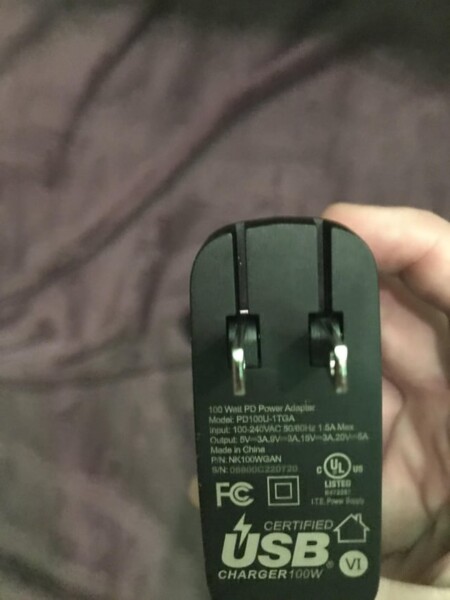
Yes, a 100-watt inverter can charge a laptop. Ensure the laptop’s power requirements do not exceed the inverter’s capacity.
A 100-watt inverter is commonly used for charging laptops and other small electronic devices. Laptops typically require between 30 to 90 watts, making a 100-watt inverter sufficient for most models. It’s crucial to check your laptop’s power adapter specifications to confirm compatibility.
The inverter converts DC power from a car battery or other sources into AC power, which your laptop charger can use. This makes it handy for road trips or places without direct access to electrical outlets. Always ensure the inverter is of good quality to avoid potential damage to your devices.
Laptop Power Requirements
Understanding your laptop’s power requirements is crucial. It helps ensure efficient charging and proper function. Knowing the wattage your laptop needs can prevent potential damage. Let’s delve into the specifics.
Typical Laptop Wattage
Laptop power consumption varies widely. Most laptops fall between 30 to 90 watts. Ultrabooks and Chromebooks use less power. Gaming laptops and workstations consume more. Check your laptop’s charger for the exact wattage. Here’s a breakdown:
| Type of Laptop | Wattage |
|---|---|
| Ultrabooks | 30-50 Watts |
| Standard Laptops | 50-70 Watts |
| Gaming Laptops | 70-100+ Watts |
Factors Affecting Power Consumption
Several factors affect your laptop’s power consumption. Here are the main ones:
- Screen Size: Larger screens require more power.
- Processor: High-performance CPUs consume more energy.
- Graphics Card: Dedicated GPUs draw extra power.
- Battery Health: Older batteries may need more power to charge.
- Usage: Intensive tasks increase power needs.
Understanding these factors helps manage your laptop’s power needs effectively. A 100 Watt inverter can charge most laptops, but always check the specifications.
Credit: www.reddit.com
Understanding Inverter Capacity
Choosing the right inverter for your laptop is important. You need to understand inverter capacity. This helps you ensure your laptop gets enough power without any issues.
Wattage Vs. Voltage
Wattage and voltage are key factors in inverter capacity. Wattage measures the total power. Voltage measures the power’s strength.
- Wattage is like the size of a bucket. It tells you how much water (power) it can hold.
- Voltage is like the pressure of the water. It tells you how strong the flow is.
Most laptops need 60-100 watts to charge. Check your laptop’s power adapter for exact needs. Ensure the inverter can handle this wattage.
Continuous Vs. Peak Power
Inverters have two types of power ratings: continuous and peak power.
| Type | Description |
|---|---|
| Continuous Power | This is the power the inverter can handle steadily. It’s like a marathon runner, going at a steady pace. |
| Peak Power | This is the maximum power for short bursts. It’s like a sprinter, giving a quick burst of energy. |
Your laptop’s charging might need a peak power boost. Ensure your inverter’s peak power rating meets this.
Understanding these aspects ensures your laptop and charges safely. Always match the inverter’s capacity with your laptop’s needs.
Compatibility Check
Wondering if a 100 Watt inverter can charge your laptop? Compatibility is key. A few factors determine if a 100 Watt inverter will work.
Matching Inverter Output With Laptop Needs
Your laptop needs a specific wattage to charge. Check your laptop’s power adapter. Look for the wattage rating. Common wattages are 45W, 60W, and 90W.
Compare this to the inverter’s output. A 100 Watt inverter can charge laptops needing 90W or less. Laptops needing more than 100W may not charge or may charge slowly.
| Laptop Wattage | Compatible with 100W Inverter? |
|---|---|
| 45W | Yes |
| 60W | Yes |
| 90W | Yes |
| 120W | No |
Safety Considerations
Safety is important. Ensure the inverter has safety features. Look for over-voltage, over-current, and short-circuit protection.
Use the inverter in a well-ventilated area. This prevents overheating. Avoid using the inverter near flammable objects.
- Check safety features
- Use in ventilated area
- Avoid flammable items
Practical Scenarios
Wondering if a 100 Watt inverter can charge your laptop? Let’s explore practical scenarios. These scenarios help you understand when and how a 100 Watt inverter can be useful. We’ll look at charging your laptop while using it and when it is off.
Charging While Using The Laptop
Using your laptop while charging needs more power. Laptops typically need between 30 to 90 watts. If your laptop uses less than 100 watts, a 100 Watt inverter should work fine. But, if your laptop needs more power, it might not charge properly.
Here is a table showing laptop power usage:
| Usage | Power Needed |
|---|---|
| Light Use (browsing, writing) | 30-50 Watts |
| Moderate Use (streaming, editing) | 50-70 Watts |
| Heavy Use (gaming, rendering) | 70-90 Watts |
Ensure your laptop’s power needs fit within 100 watts. This will help you charge while using it.
Charging When Laptop Is Off
Charging a laptop when it is off uses less power. Most laptops need 30 to 60 watts when off. A 100 Watt inverter can charge your laptop easily when it is off.
- Check your laptop’s charger for its wattage.
- If it shows 30 to 60 watts, a 100 Watt inverter is suitable.
- Charging while off is efficient and quick.
In summary, a 100 Watt inverter can charge most laptops when they are off. Ensure your laptop’s power needs match the inverter’s capacity.
Potential Issues
Using a 100-watt inverter to charge a laptop may lead to power insufficiency. Inverters with lower wattage often struggle to meet laptop energy demands.
Charging a laptop with a 100-watt inverter may seem straightforward. But you need to be aware of potential issues that may arise. Understanding these issues can help you make an informed decision.
Overheating Risks
Using a 100-watt best inverter for your laptop can cause overheating. Laptops require stable power to function efficiently. An inverter may produce heat during the process.
| Factor | Impact |
|---|---|
| Continuous Use | Increases heat generation |
| Quality of Inverter | Higher quality reduces heat risk |
Make sure to place the inverter in a well-ventilated area. This will help to dissipate heat effectively.
Battery Drain Concerns
A 100-watt inverter can lead to battery drain issues. This is especially true for car batteries or small power sources.
- Laptops may draw more power than the inverter supplies.
- Extended use could deplete the power source quickly.
Ensure your power source is adequate to handle the load. Monitor the battery levels regularly to avoid unexpected shutdowns. “` This HTML format ensures the content is SEO-friendly and easy to read. Each H3 heading addresses specific issues, making the information clear and organized.

Credit: www.reddit.com
Alternative Solutions
Sometimes a 100 Watt inverter cannot charge a laptop. There are alternative solutions for this problem. Below are some options you can consider.
Higher Wattage Inverters
A higher wattage inverter can charge a laptop more effectively. These inverters range from 150 to 500 watts. They provide enough power for most laptops. Here is a comparison table:
| Inverter Wattage | Suitable Devices |
|---|---|
| 150 Watts | Small Laptops, Tablets |
| 300 Watts | Medium Laptops, Portable Monitors |
| 500 Watts | Large Laptops, Gaming Laptops |
Choosing the right inverter depends on your laptop’s power needs. Check your laptop’s power adapter for wattage information.
Direct Dc Adapters
Direct DC adapters are another great solution. These adapters connect directly to your car’s 12V outlet. They are more efficient than inverters. Here are some benefits:
- Less power loss
- Compact and portable
- Easy to use
Many laptops have DC adapters designed for them. Check your laptop brand for compatible adapters. Some universal adapters also work well. They come with multiple tips for different laptops.

Credit: www.ebay.com
Frequently Asked Questions
Can A 100 Watt Inverter Charge A Laptop?
Yes, a 100 watt inverter can charge a laptop and cigarette lighter. However, it’s essential to check your laptop’s power requirements first. Most laptops require between 45 to 90 watts. Ensure the inverter’s output matches your laptop’s power adapter specifications.
Is 100 Watt Inverter Enough For Laptop Charging?
A 100 watt inverter is generally enough for laptop charging. Most laptops need 45 to 90 watts. Always check your laptop’s power requirements to be sure. Using an inverter with a higher wattage than needed won’t harm your device.
How To Choose Inverter For Laptop Charging?
Choose an inverter that matches or exceeds your laptop’s power needs. Check your laptop’s power adapter for wattage information. Ensure the inverter has the correct voltage and plug type. Compatibility is key to safe and efficient charging.
Can I Use A Car Inverter For My Laptop?
Yes, you can use a car inverter for your laptop. Ensure the inverter provides the necessary wattage and voltage. Most car inverters can handle laptop charging. Verify compatibility with your laptop’s power adapter before use.
Conclusion
A 100-watt inverter can charge a laptop, but compatibility matters. Check your laptop’s power requirements first. Ensure your inverter can handle the load. Using an appropriate inverter ensures efficient charging. This helps protect your laptop and inverter from damage. Always choose quality inverters for reliable performance.