
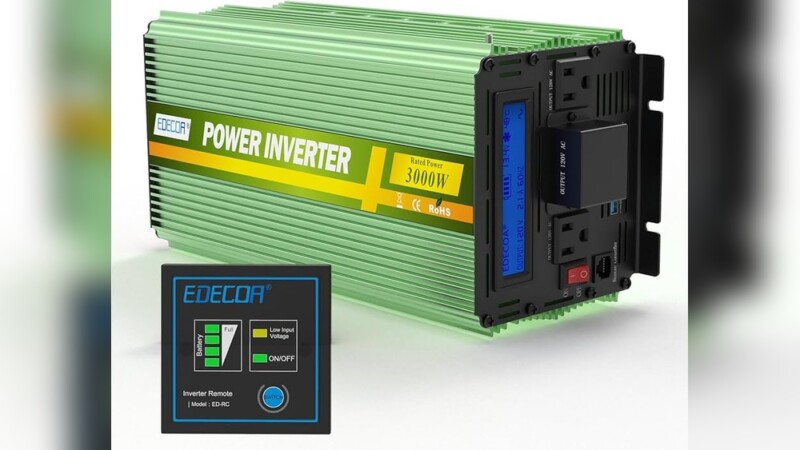
The display on an EDECOA inverter is a real-time status screen. Depending on the model, it shows battery or DC input voltage, AC output voltage and frequency, output current or power, load percentage, battery level, temperature, charging status, operating mode, and protection warnings such as overload or low voltage. Layouts differ between 12 V, 24 V and 48 V units, and between pure-sine, modified-sine and hybrid solar models, so always compare what you see with the manual for your exact model.
Quick answer
The EDECOA screen reports what goes into the inverter (battery DC voltage), what comes out (AC voltage, frequency, watts or load %), and how the unit is coping (battery bars, temperature, mode icons, warnings). A solid red FAULT light means a fault has occurred. A flashing one means a warning. For either, disconnect the load and fix the cause before you restart.
The sections below explain each reading and icon, work through a sample screen, and give a troubleshooting checklist that separates simple warnings from genuine faults.
What does an EDECOA inverter do, and what does its display track?
An EDECOA inverter converts DC power from a battery or solar array into AC power for household and commercial devices. The display lets you watch that conversion as it happens. It shows how much voltage the battery supplies, what the inverter delivers, and whether a protection circuit is about to step in.
Each reading points to a specific action. You might charge the battery, unplug a load, or improve airflow. You do not need meters or tools to read it.
What does the display show on most models?
According to the EDECOA 1500W pure sine wave instruction manual and the company’s modified-sine manuals, standalone units can show:
- Input DC voltage
- Output AC voltage
- Output frequency
- Output current
- Internal temperature
- Battery level
These units also include protection against overload and short circuits. Hybrid solar models add operating-mode icons, load watts and VA, and charging information.
Where are EDECOA inverters used, and does that change the display?
Common uses include:
- Backup power for lights and appliances during outages
- Off-grid cabins and remote sites
- Small offices and workshops
- Camping setups
- Solar systems
The use matters because it decides which model you have. A vehicle or camping unit is usually a standalone inverter with a simpler screen. A home solar setup often uses a hybrid model, which shows utility, PV and bypass information as well.
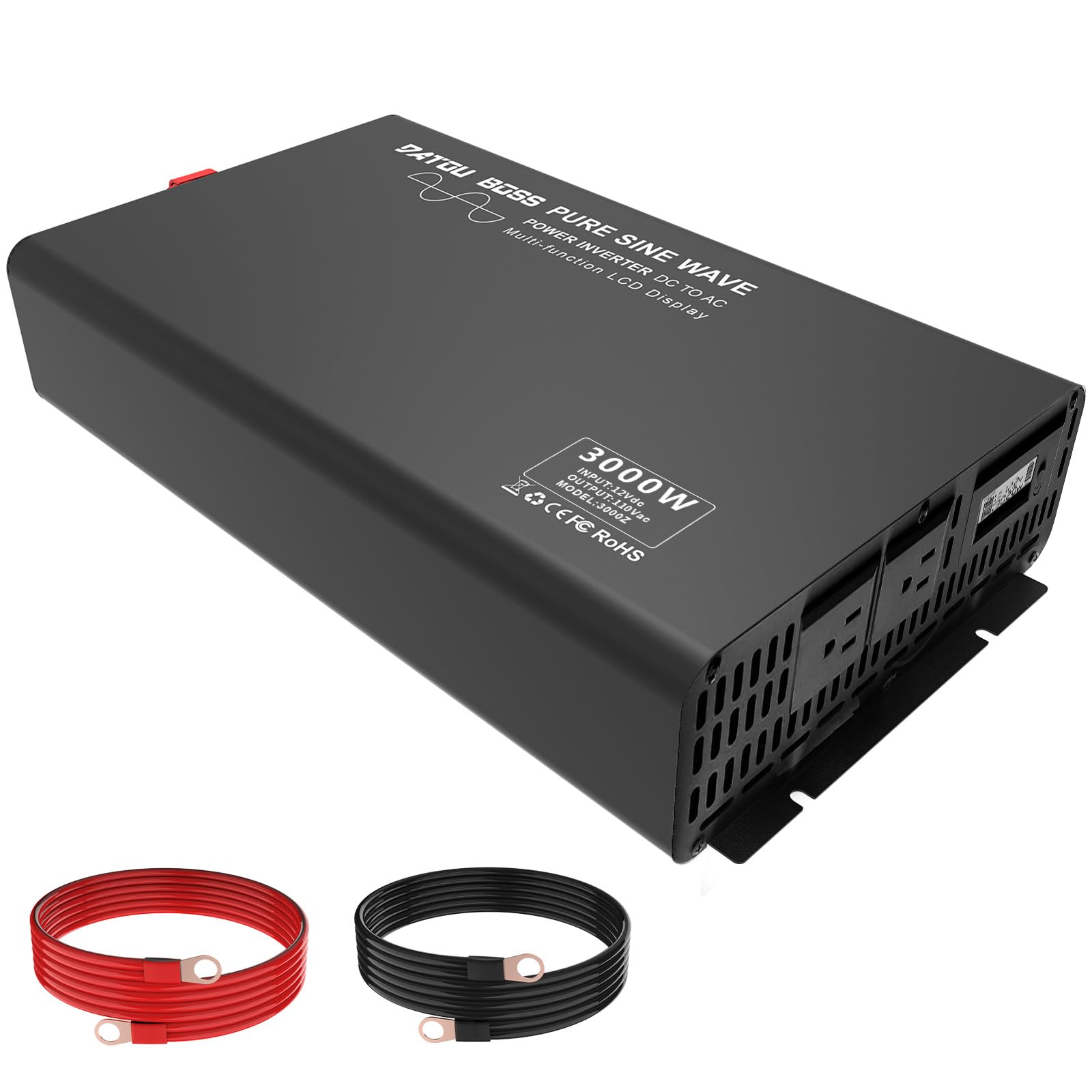
Image credit: lepaystchad.com
What do the readings and icons on the display mean?
Each number or icon reports one part of the power path: battery in, AC out, load, or protection status. Reading them together tells you more than reading any single value.
Which display types do EDECOA inverters use?
Most current EDECOA inverters use one of two display types:
- LCD screen: shows numbers and icons. Some models mount it on a wired remote so you can check status from a distance.
- LED indicators: handle simple status and fault signals, such as power on, warning or fault.
The icon set varies by model. Treat the glossary below as a general guide and confirm details in your own manual.
What does each indicator mean?
| Symbol or reading | Meaning | Normal interpretation | Action if abnormal |
|---|---|---|---|
| Input V (DC) | Battery or DC input voltage | Close to the system’s nominal 12, 24 or 48 V | Charge the battery and check cable tightness and gauge |
| Output V (AC) | Voltage at the AC sockets | Near the rated 110/120 V or 220/230 V | Reduce load and check the battery voltage |
| Hz | Output frequency | Steady at the rated 50 or 60 Hz | Confirm the setting matches your region’s appliances |
| A | Output or discharging current | Rises with load | Unplug devices if the current climbs near the limit |
| W / VA | Real power / apparent power | VA is equal to or higher than W | Keep both below the rated output |
| Load % | Share of rated capacity in use | Comfortably under 100% | Remove loads before an overload trip |
| Battery bars | Approximate charge range | More segments mean more charge | Recharge before the low-voltage alarm |
| °C | Internal temperature | Stable under the current load | Improve ventilation and reduce load |
| FAULT (red) | Warning (flashing) or fault (solid) | Off | See the troubleshooting checklist below |
What does the input voltage number mean on an EDECOA inverter?
The input voltage is the DC voltage arriving from your battery bank. It is not the power going to your appliances.
A 24 V system should read in the low-to-mid 20s. The value sags under heavy load and recovers when the load drops. A steadily falling reading means the battery is discharging toward the low-voltage cutoff.
What does the output voltage reading mean?
The output voltage is the AC voltage the inverter delivers to your sockets. It should stay close to the model’s rated output, such as 230 V or 120 V, even as the battery voltage changes.
If the output drops noticeably, the load is too heavy or the battery is too weak to support it.
What do Hz, amps, watts, VA, and % mean on the display?
Each unit reports a different part of the load:
- Hz: output frequency, normally 50 or 60.
- Amps: the current flowing.
- Watts: the real power your devices consume.
- VA: apparent power. It runs higher than watts for motors, chargers and other inductive loads.
- %: how much of the inverter’s rated capacity is in use.
The EDECOA 3000W 24V hybrid inverter user manual lists load percentage, load VA, load watts and discharging current among its display readings.
How do I read the EDECOA battery-level bars?
The battery bars show broad ranges, not an exact percentage. On the documented hybrid model, the indicator steps through four ranges:
- 0–24%
- 25–49%
- 50–74%
- 75–100%
A sudden drop of one segment under heavy load can be voltage sag rather than real capacity loss. Check the voltage reading again after you reduce the load.
What does the temperature reading tell me?
The temperature reading shows heat inside the inverter. It climbs with sustained load, poor airflow or a hot installation space. A reading that keeps rising at a steady load is an early warning that the over-temperature protection may shut the unit down.
What do the BYPASS, utility, PV, charger, and inverter icons mean?
These icons appear on hybrid models. According to EDECOA’s hybrid manual:
- BYPASS: the load is supplied by utility power, not by the DC-to-AC inverter circuit.
- Utility icon: grid power is connected.
- PV icon: a solar-panel input is connected.
- Charger and DC/AC inverter icons: the corresponding charging or conversion circuit is operating.
BYPASS is a normal operating state, not a fault.
How do the readings work together? A worked example
Suppose a 3000 W, 24 V unit shows these readings:
- 24.8 V input
- 230 V output
- 50 Hz
- 60% load
- Three battery segments
Read together, they mean:
- The battery is supplying power within its normal range.
- The output is steady at the European standard voltage and frequency.
- About 1,800 W of capacity is in use (60% of 3,000 W).
- The charge sits in the 50–74% range.
You have roughly 1,200 W of headroom. That is still too little to start a large motor with a high surge on top of the current load. Watch for the input voltage falling as the bars drop.
Which readings appear on standalone versus hybrid models?
| Reading | Standalone (pure or modified sine) | Hybrid solar |
|---|---|---|
| Input DC voltage | Common | Common |
| Output AC voltage and Hz | Common | Common |
| Output current | Common | Shown as discharging current |
| Load %, W, VA | Varies by model | Common |
| Temperature | Common | Varies by model |
| Battery bars | Common | Common, in four ranges |
| Utility, PV, BYPASS, charger icons | Not applicable | Common |
What do warnings, faults, and error codes mean?
A warning means the inverter is approaching a limit and can keep running if you act. A fault means a protection circuit has stopped or will stop the output. The two need different responses.
What does the OVERLOAD warning mean, and what should I do?
OVERLOAD means your connected devices draw more than the inverter’s rated output, or are surging past it at startup. Switch off the largest loads first. Then restart devices one at a time, keeping the load percentage clearly under 100%.
What does a flashing or solid FAULT light mean?
On the documented EDECOA hybrid model, a flashing red FAULT indicator signals a warning condition. A solid red FAULT indicator means a fault has occurred. Read any code or icon shown alongside it before you reset.
Are error code numbers the same on every model?
No. Code numbering differs between EDECOA product lines. Do not rely on a code list written for another model.
Most codes fall into a few groups:
- Overload
- Low or high battery voltage
- Over-temperature
- Short circuit
- PV or communication problems on hybrids
Your model’s manual maps each number to its cause.
What should I check if the EDECOA display shows an alarm or the inverter shuts down?
EDECOA manuals, including the 3000W modified sine wave inverter user manual, advise this sequence:
- Note the displayed alarm.
- Disconnect the load.
- Correct the cause, such as low battery, overload or poor ventilation.
- Restart only after you have fixed the issue.
Use this checklist to identify the cause:
- Low battery: input voltage is falling and few bars remain. Recharge, then check terminals and cable size.
- Overload: load % is near or above 100. Remove high-draw or high-surge devices.
- Overheating: temperature is rising. Clear the vents, add space around the unit and reduce load.
- Utility bypass: the BYPASS icon is on. The grid is powering the load and no action is needed.
- Genuine fault: the FAULT light is solid. Power down, inspect wiring for damage and check the code in the manual. If it returns after a reset, contact support.
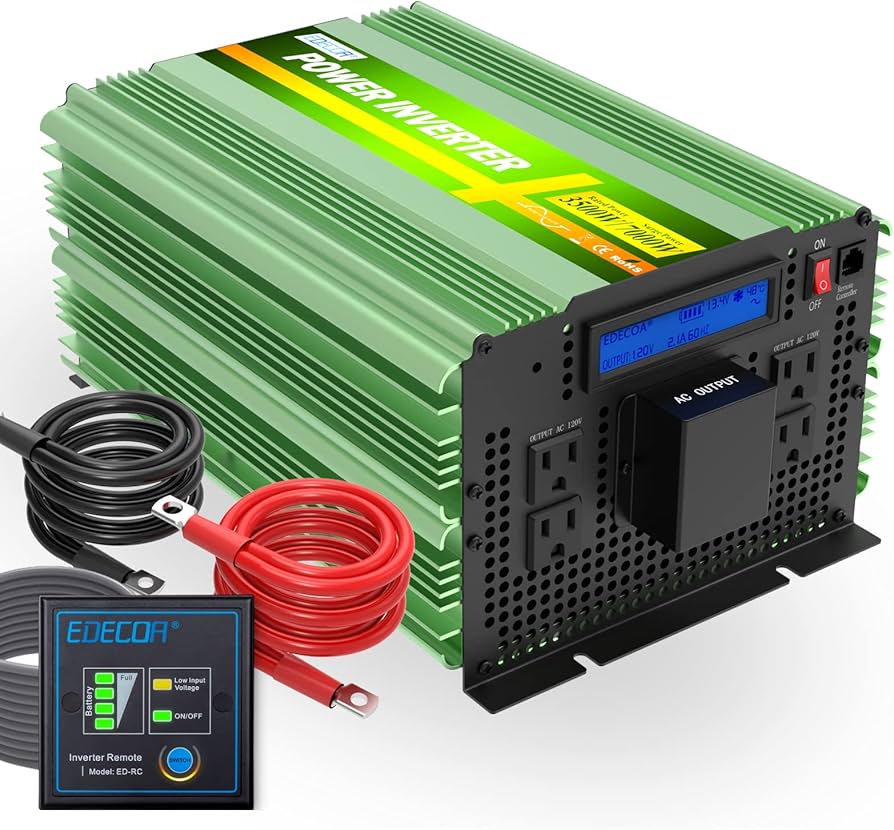
Image credit: www.amazon.com
Can I change what the display shows?
You can change which reading is on screen. On hybrid models, you can also change some operating settings. The options depend on the model.
Why does the display show different readings when I press the buttons?
On many models, the LCD or remote has only enough room for a few values at once. The buttons cycle through the screens, for example from output voltage to frequency, load percentage and load watts.
A changed number after a button press usually means you are viewing a different reading, not that something has changed. Look at the unit label next to the number (V, Hz, %, W) to confirm which reading you are viewing.
Which settings affect performance?
Hybrid models typically include a settings menu reached through the display buttons. It covers options such as output priority between utility, solar and battery, and charging behavior.
The program numbers and allowed values are listed in each model’s manual. Match the battery-type and voltage settings to your actual battery bank. A mismatch can trigger false low- or high-voltage warnings.
You may like: EDECOA 3000 Watt Power Inverter Review
How do I keep the display readable and accurate?
Routine checks and gentle cleaning keep the screen legible. They also help you spot a display problem before it hides a warning.
What should I check regularly?
Check the display periodically for:
- Cracks, dim areas or missing segments
- Flickering
- Icons and numbers that do not light up when they should
Check that the remote cable is seated firmly, because a loose connection can blank the remote screen.
How should I clean the display?
Switch the inverter off first. Wipe the screen with a soft, dry cloth, and use a cloth lightly dampened with water only if needed. Avoid solvents and abrasive pads. Let everything dry fully before you power the unit on again.

Image credit: www.ebay.com
When should I seek professional help?
Contact support or a qualified technician when a fault returns after you have corrected the obvious cause and reset the unit.
What are the warning signs?
Get help if you notice any of the following:
- A solid FAULT light that comes back after a reset
- Repeated shutdowns at loads well under the rating
- Unstable output voltage with a healthy battery reading
- Unusual noises
- A burning smell
If you smell burning, disconnect the unit immediately.
How do I find authorized service?
Contact EDECOA through the official website or the seller you bought from. Have your model number, the displayed code and your purchase details ready. Unauthorized repairs can affect warranty coverage, so confirm what is covered before opening the unit.
What do owners say?
Owners like
- Seeing battery voltage, load and temperature at a glance instead of running with no feedback.
- The remote display, which lets them check the inverter without walking to the main unit.
- A display and remote layout that is easy to follow for routine readings.
Common complaints
- After-sales support and warranty claims can be slower or less consistent than expected, even for a value-tier brand.
Summarised from owner reviews and long-term user reports; individual experiences vary.
Conclusion
The EDECOA display reports three things. It shows battery input voltage, AC output (voltage, frequency, watts or load %) and protection status (temperature, mode icons, warnings and faults). Read the values together rather than one at a time.
Treat a flashing FAULT light as a warning and a solid one as a fault. Remember that BYPASS means the grid is carrying the load. When an alarm appears, disconnect the load, fix the cause and restart only after the issue is resolved.
Sources